Mave for Drupal
 2 min read
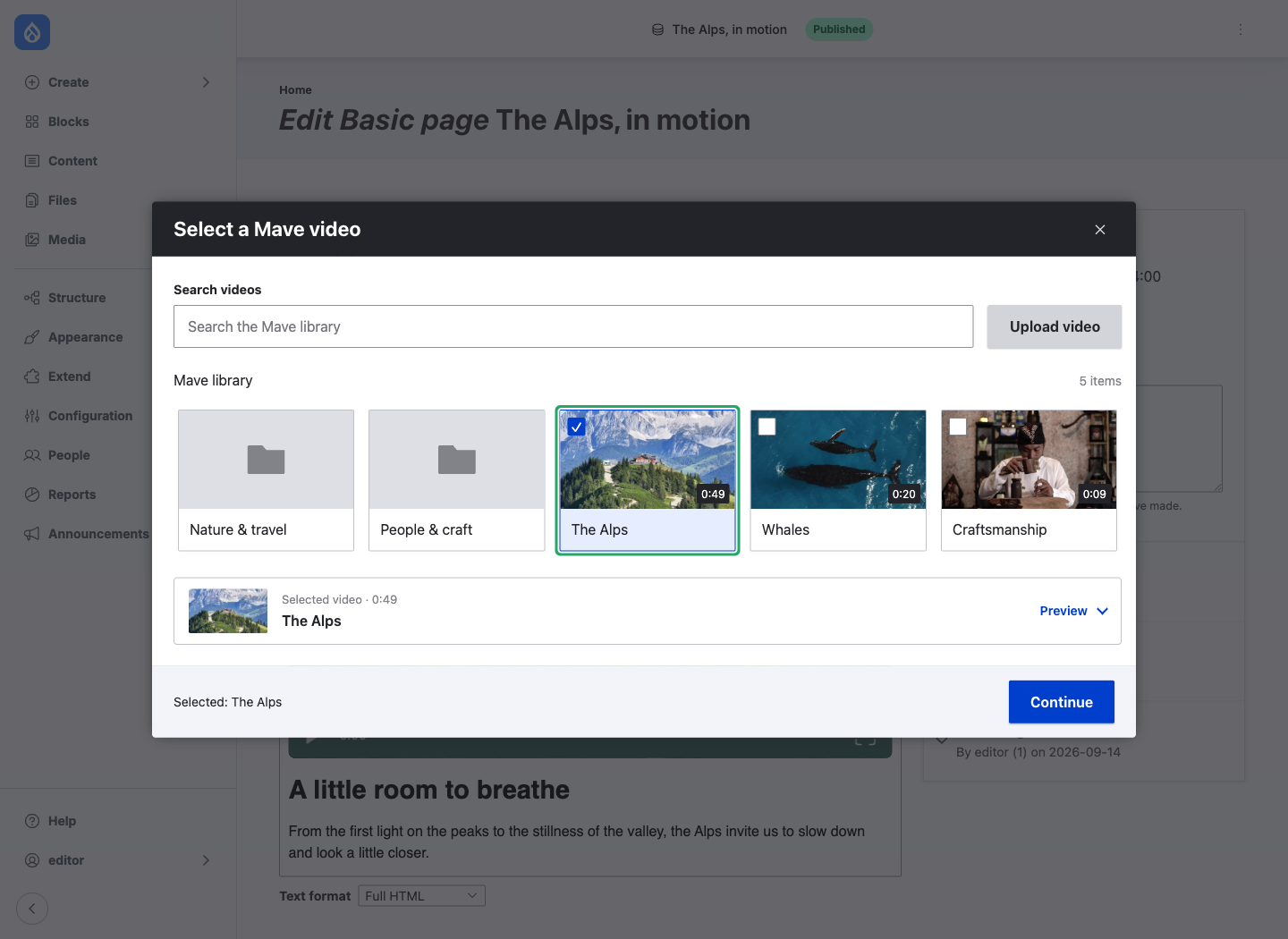
You’re editing a page in Drupal and want to add a video. The video is already in Mave, but getting it onto the page means switching tabs, finding an embed code and bringing it back into your content.
We’ve built Mave for Drupal to bring your video library into the editor. You can choose a video, upload a new one and add it to your page without leaving Drupal.
After Mave for WordPress, this brings the same idea to Drupal: your video library, right where you create your content.
Your Mave library, inside Drupal
The module connects Drupal’s Media Library to Mave. You can browse your folders, search for a video and preview it before adding it to your content.
If the video is still on your computer, you can upload it from the same place. Mave processes it and adds it to your library, ready to use in your content.
Your videos stay together in Mave. A video you’ve already uploaded is ready to use in Drupal too, and you can reuse it across pages without uploading it again.
Part of the Drupal editor
The module uses Drupal’s Media and Media Library systems, with previews in CKEditor 5. Once you’ve inserted a video, you can see it alongside the text you’re writing.
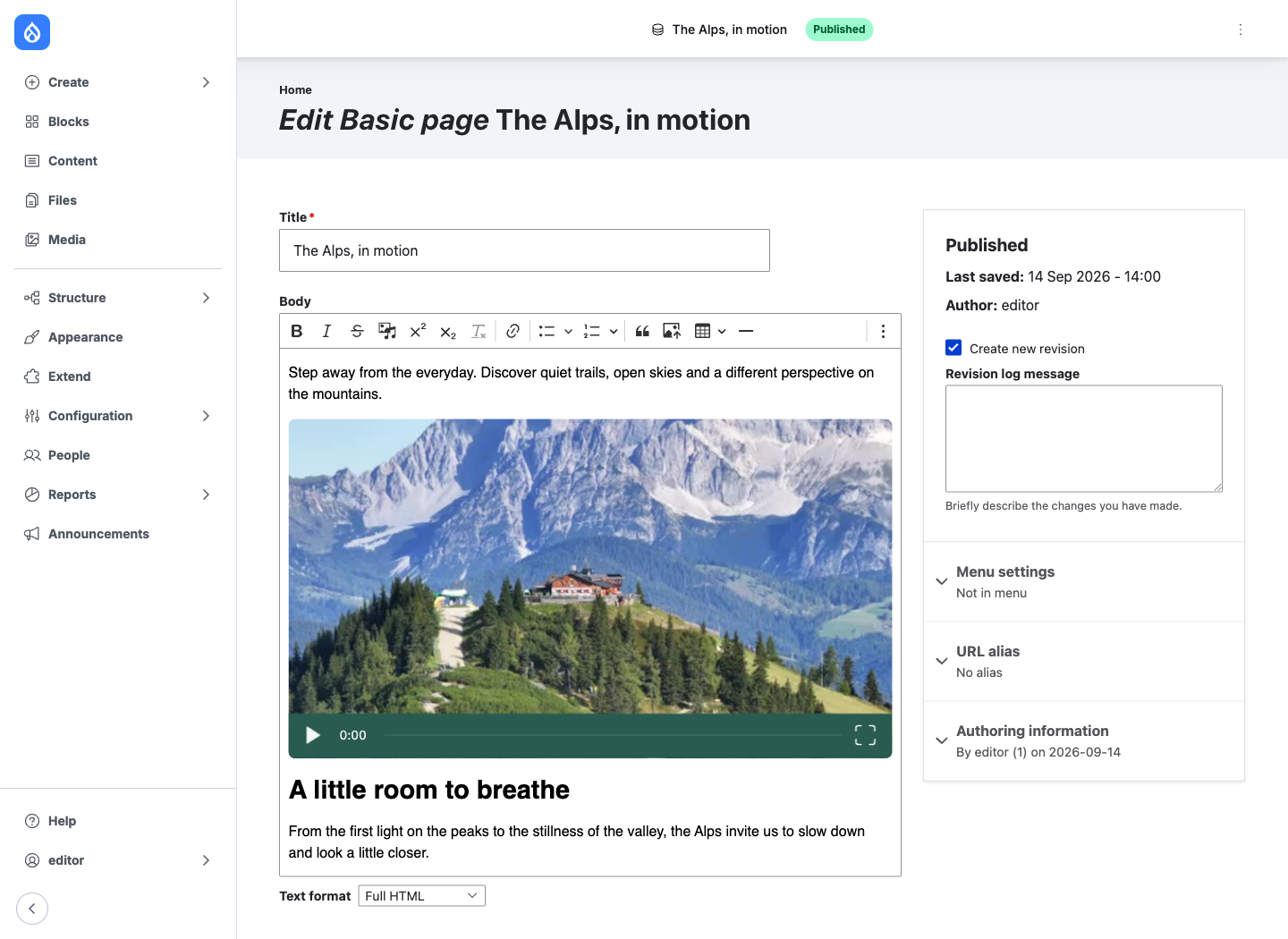
It also fits the way developers build with Drupal. Mave videos work with existing content types and media fields, while access follows Drupal’s editorial permissions.
You can choose a player theme and color to match your website, and set defaults to keep video looking consistent across your content.
The same Mave player
Videos use Mave’s cookieless player, with aggregate playback analytics and no cross-site viewer tracking. The module brings that player into Drupal’s publishing workflow.
Get started
Mave for Drupal supports Drupal 11 and is available in beta on Drupal.org. The module is open source, with the source code and installation instructions on GitHub.
We’d love feedback from Drupal editors and developers. Share your experience in our Discord, or send us an email.